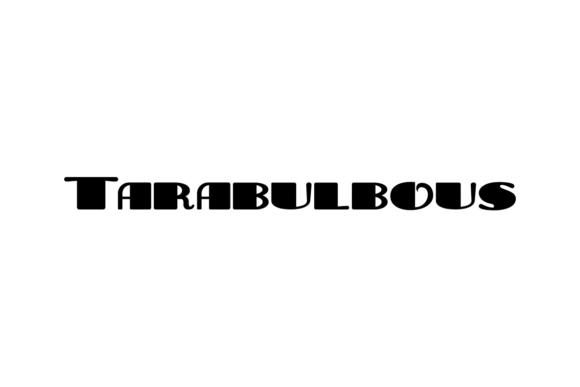
Blueto: A Stylish Display Font
As a web designer, I’m always on the lookout for fonts that bring personality and visual interest to a site without sacrificing readability. Blueto has quickly become one of my go-to display fonts, especially when I need a touch of elegance and modern flair in a digital project.
Testing Blueto in a Hero Section
One of the first places I tested Blueto was in a hero section for a boutique online store. The font’s clean lines and subtle swashes gave the headline a refined look that stood out against the background image. It felt like the perfect balance between bold and elegant, making it ideal for large text that needs to command attention without overwhelming the viewer.
Using Blueto for Call-to-Action Buttons
I also tried using Blueto for a call-to-action button on a product landing page. The font’s weight and spacing made it legible even at smaller sizes, which is crucial for buttons that need to be both eye-catching and easy to read. It worked well with a simple sans serif for the body text, creating a clear visual hierarchy that guided users through the page.
Blueto in Responsive Layouts
On mobile devices, Blueto maintained its clarity and charm. I noticed that the font didn’t get lost in the smaller screen size, which is a big plus for responsive design. Whether it was a header on a portfolio site or a section title on a blog, Blueto adapted well to different screen sizes without losing its character.
Pairing Blueto with Other Fonts
Font pairing is essential for good web design, and Blueto pairs beautifully with a range of other typefaces. For a more editorial feel, I paired it with a classic serif font for subheadings. This combination added depth and contrast while keeping the overall design cohesive. For a cleaner, more modern look, a simple sans serif complemented Blueto perfectly, making it ideal for body copy or secondary text elements.
Considerations for Web Use
While Blueto shines in headlines and decorative elements, it’s not the best choice for long paragraphs of text. Its decorative nature makes it less suitable for body copy, where legibility and ease of reading are paramount. I’d recommend using it sparingly for short phrases, titles, or accents rather than as a primary font for extended content.
Accessibility and Performance
When using Blueto on a website, it’s important to consider accessibility. The font works well on light backgrounds but can be harder to read on dark ones if not used carefully. I found that adjusting the line height and spacing helped improve readability, especially for users with visual impairments. Also, since it’s a freebie, I made sure to check the file formats and licensing to ensure it was suitable for commercial use on client projects.
Real-World Applications
Blueto has proven useful in a variety of web projects. From a creative portfolio site to a coaching website, it adds a touch of sophistication that elevates the overall design. It’s particularly effective in digital ads and promotional landing pages where a strong visual impact is needed. The font’s versatility makes it a valuable addition to any designer’s toolkit.
Final Thoughts on Blueto
Blueto is a great example of a display font that brings style and character to web design. Its modern aesthetic and clean structure make it ideal for headers, buttons, and other prominent elements. While it may not be the best choice for body text, it excels in areas where visual appeal and brand identity are key. If you’re looking for a font that adds a touch of class to your digital projects, Blueto is definitely worth trying out.